
Finding a Secret Santa gift for a PC gamer is easier when you focus on how they use their setup: playing, streaming, chatting, or keeping a desk organized. These ideas range from small accessories to larger upgrades, so check the recipient’s setup and spending limit before choosing.
Secret Santa Gifts for PC Gamers
1. COMHOMA Adjustable Big and Tall Gaming Chair
A More Supportive Desk Setup
COMHOMA Adjustable Big and Tall Gaming Chair

- Wide seat and backrest with padded support for gaming sessions.
- Height-adjustable armrests and a reclining back help tailor the seating position.
- Integrated footrest and assembly-required design are noted in the listing.
Best For: A PC gamer who spends long stretches at a desk and wants adjustable seating.
2. Nylavee 2.1 Desktop Speakers with Subwoofer
Bigger Sound for the Desk
Nylavee 2.1 Desktop Speakers with Subwoofer

- 2.1 speaker setup includes a subwoofer for desktop audio.
- Connects through USB, AUX, or Bluetooth 5.4.
- Eight RGB lighting modes and a rotary control are listed.
Best For: A gamer who likes hearing games, movies, and music through speakers.
3. LYMAX Dimmable Monitor Light Bar
Focused Evening Lighting
LYMAX Dimmable Monitor Light Bar

- Designed to light the keyboard and desk while limiting screen reflection.
- Offers adjustable color temperature and dimming controls.
- Mounts on compatible monitors and includes a wireless controller.
Best For: A gamer who uses a computer in the evening and wants task lighting.
4. STREBITO 142-Piece Precision Screwdriver Set
For the Hands-On Builder
STREBITO 142-Piece Precision Screwdriver Set
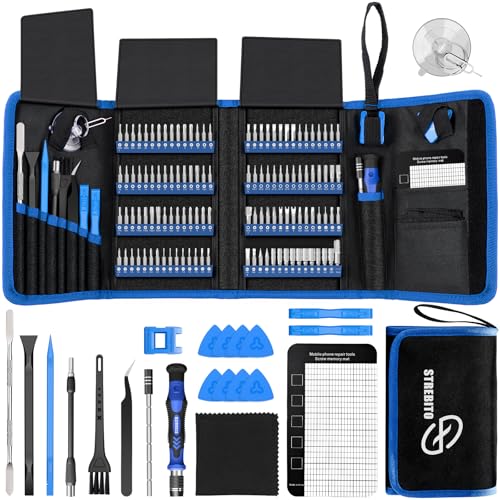
- Includes 120 driver bits and 22 repair accessories.
- The listed uses include computers, laptops, SSDs, and game consoles.
- A magnetic mat helps keep small screws and parts organized.
Best For: A PC gamer who enjoys maintaining or assembling electronics.
5. Redragon K668 Hot-Swappable Gaming Keyboard
A Customizable Keyboard
Redragon K668 Hot-Swappable Gaming Keyboard

- Full-size, wired keyboard with 108 keys and RGB lighting modes.
- Hot-swap sockets accept many 3-pin or 5-pin switches, per the listing.
- Includes extra keycaps and four shortcut keys.
Best For: A gamer who wants to personalize keyboard switches, lighting, or shortcuts.
6. Acer USB Capture Card with HDMI Loop-Out
A Starter Streaming Tool
Acer USB Capture Card with HDMI Loop-Out

- Captures video at up to 1080p and lists 4K HDMI input.
- USB 3.0 connection and a 3.5 mm microphone input are included.
- The listing names OBS, consoles, cameras, PC, and macOS among supported options.
Best For: A gamer who records or streams gameplay from a console through a PC.
7. EasySMX X15 Wireless PC and Steam Controller
Controller-Friendly Gaming
EasySMX X15 Wireless PC and Steam Controller

- Supports 2.4G wireless, Bluetooth, and wired USB-C connections.
- Hall Effect joysticks and triggers are listed, along with two programmable back buttons.
- Compatibility includes PC, Steam, Switch, Android, and iOS; check the intended device.
Best For: A PC gamer who prefers a controller for racing, platform, or action games.
8. Redragon M810 PRO Wireless Gaming Mouse
Wireless Precision and Shortcuts
Redragon M810 PRO Wireless Gaming Mouse

- Connects wirelessly with a 2.4 GHz receiver and supports USB-C.
- Offers adjustable DPI settings and eight programmable buttons.
- The listing describes RGB lighting and a rechargeable battery.
Best For: A right-handed gamer looking for wireless movement and configurable buttons.
9. EMEET C950 1080p USB Webcam
A Camera with a Privacy Cover
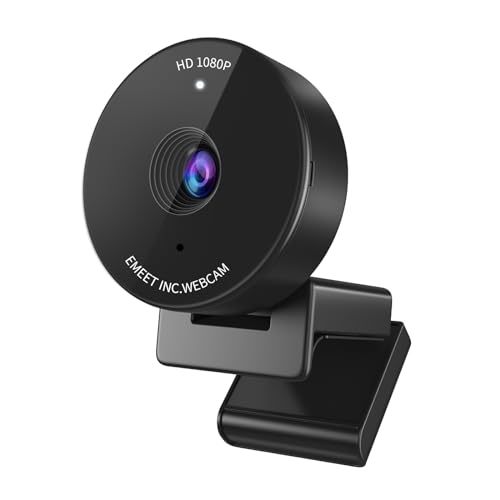
- 1080p video and a built-in microphone are listed.
- A physical cover slides across the camera when it is not in use.
- USB webcam compatibility includes Windows, macOS, and Linux.
Best For: A gamer who joins video calls or wants a webcam for streaming.
10. Large Extended Gaming Mouse Pad
More Room Across the Desk
Large Extended Gaming Mouse Pad
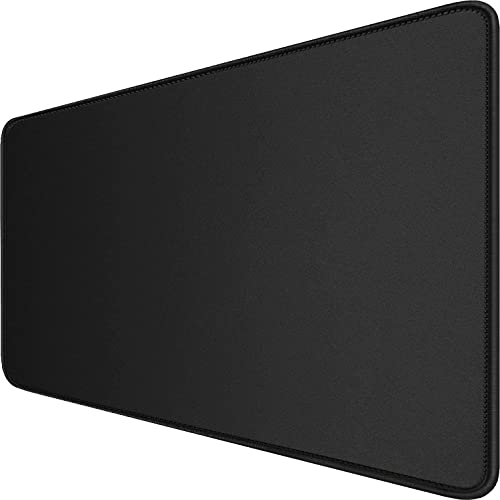
- 31.5 by 15.7-inch surface can fit a mouse and keyboard.
- Stitched edges and a non-slip rubber base are listed.
- The surface is described as waterproof-coated and easy to clean.
Best For: A PC gamer who wants a broad mouse surface and a tidier desk.
11. LG 34-Inch UltraGear Curved Gaming Monitor
A Sweeping Screen Upgrade
LG 34-Inch UltraGear Curved Gaming Monitor

- 34-inch curved ultrawide screen with 3440 by 1440 resolution.
- The listing specifies a 240 Hz refresh rate and 1 ms response time.
- Height, tilt, and swivel adjustments and HDMI, DisplayPort, and USB-C are listed.
Best For: A gamer with desk space who wants an ultrawide display and compatible PC.
12. SanDisk Extreme Portable 2TB SSD
Portable Space for Game Files
SanDisk Extreme Portable 2TB SSD
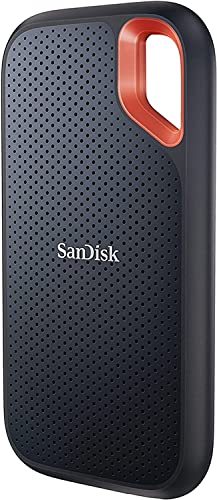
- 2 TB portable solid-state drive connects over USB.
- The listing gives speeds of up to 1050 MB/s read and 1000 MB/s write.
- Includes a carabiner loop and password protection with hardware encryption.
Best For: A gamer who stores captures or moves large files between compatible devices.
How to Choose a Secret Santa Gift for a PC Gamer
Start with the recipient’s habits rather than assumptions about what every gamer needs. Someone who mainly plays at a desktop may appreciate a mouse pad, monitor light, or speaker set. A friend who plays racing or platform games could use a controller, while someone who streams or joins regular calls may get more use from a webcam or capture card. If you do not know their setup well, practical desk accessories are easier to choose than major hardware.
Think about the size and effect of the gift, too. A light bar or precision screwdriver kit is a useful, self-contained present. A keyboard or speakers change the feel of the desk more visibly. A chair or monitor is a substantial upgrade, so it makes sense only when the Secret Santa budget allows and the recipient has room for it.
Set a Budget That Fits the Exchange
For a modest exchange, consider an extended mouse pad, monitor light bar, or screwdriver set. These gifts can be useful without requiring the recipient to replace existing equipment. A webcam, controller, or wireless mouse makes a more involved present while staying focused on one part of the setup. Speakers, a capture card, and an external SSD suit a larger budget or a group gift.
The chair and 34-inch monitor are major purchases, with more room, setup, and personal preference involved. If your budget is limited, choose a smaller gift that complements the gamer’s current gear. You can also compare the gift’s use against the household’s rules: for example, speakers may be welcome in a shared room, or a headset may be preferred. There is no need to match the size of someone’s gaming rig; a considered accessory can be a thoughtful Secret Santa gift on its own.
Check Compatibility and Leave Room for Personal Taste
For electronics, identify what the recipient already uses when you can. The controller lists support for PC, Steam, Switch, Android, and iOS, but the notes advise checking device compatibility. The capture card requires a USB 3.0 port and lists supported operating systems and apps; confirm the recipient’s console and streaming setup before choosing it. The monitor offers HDMI, DisplayPort, and USB-C connections, so check the computer’s video output and available desk space. An ultrawide screen also changes how games and desktop apps appear, which makes it a personal choice.
A keyboard depends on layout, switch feel, and noise preference. This Redragon model is full-size, wired, and hot-swappable, with linear switches and extra keycaps. A mouse is a right-handed model, so handedness matters. Speakers can connect by USB, AUX, or Bluetooth, but consider whether a subwoofer fits the room. For a light bar, check that the monitor can accommodate its mounting bracket. The portable SSD is useful for moving or storing files, but verify the devices it will connect to and how the recipient plans to use it.
Personalization can also make a modest gift feel deliberate. A gamer who likes adjusting a setup may enjoy the keyboard’s lighting and switch options, or the mouse’s programmable buttons. Someone who prefers a clean desk may appreciate the light bar, mouse pad, or compact storage drive. When you do not know their preferences, look for a gift with more than one connection or a straightforward purpose, and keep the receipt if the exchange allows it.
Timing and Last-Minute Decisions
Give yourself time to check the recipient’s equipment and the gift exchange’s spending limit. For a last-minute decision, choose from the list based on what you already know: a large mouse pad suits many desk setups, while a precision tool kit fits someone who repairs electronics. Avoid guessing about expensive upgrades or compatibility when there is no time to verify details.
If delivery timing is uncertain, make the gift presentation simple: a card can explain why you chose the item, without promising when it will arrive. For a physical gift, consider whether it needs assembly, cables, or space to set up. The chair requires user assembly, and accessories such as a capture card or SSD may need connection to existing devices. A little checking helps a Secret Santa gift for a PC gamer feel useful from the moment they open it.