
A PC gaming gift can make play more comfortable, improve a desk setup, or help with the practical side of building and maintaining a computer. Consider what the recipient already owns and how they use their setup before choosing.
Christmas Gifts for PC Gamers
1. Nylavee 2.1 Computer Speakers with Subwoofer
Bring More Sound to the Desk
Nylavee 2.1 Computer Speakers with Subwoofer

- 2.1 speaker system with a dedicated subwoofer and up to 60W peak power.
- Connect by USB, AUX, or Bluetooth 5.4 to compatible devices.
- Eight RGB modes and four brightness levels add customizable desk lighting.
Best For: A gamer who wants desktop audio for games, movies, and music.
2. ODK 53-Inch L-Shaped Gaming Desk
Make Room for a Full Setup
ODK 53-Inch L-Shaped Gaming Desk

- Reversible L-shaped layout with a 53-inch-wide work surface and two shelves.
- Includes three AC outlets, two USB ports, a CPU stand, headset hook, and gear bag.
- RGB strip offers 10 color presets and 10 dynamic modes.
Best For: A gamer who needs more space for monitors, peripherals, and gear.
3. 8BitDo Ultimate 2 Wireless Controller
Add Controller-Friendly Play
8BitDo Ultimate 2 Wireless Controller

- Wireless controller with TMR joysticks and switchable Hall Effect or tactile triggers.
- Includes two rear paddle buttons, extra bumpers, motion control, and rumble.
- Comes with a multifunction charging dock and USB-C adapter.
Best For: A PC gamer who enjoys playing controller-friendly games.
4. HUANUO Single Monitor Arm
Free Up Monitor Space

- Fits monitors from 13 to 32 inches weighing 4.4 to 19.8 pounds.
- Supports 75x75mm and 100x100mm VESA patterns.
- Offers tilt, swivel, and rotation, with clamp and grommet mounting options.
Best For: A gamer with a compatible monitor who wants adjustable positioning.
5. SABRENT 10-Port Powered USB 3.0 Hub
Tidy Up Peripheral Connections
SABRENT 10-Port Powered USB 3.0 Hub
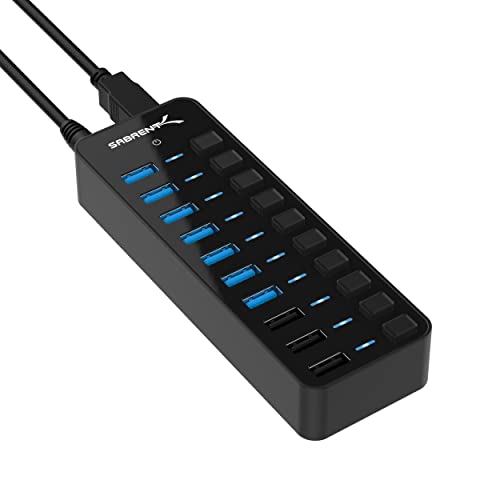
- Provides seven USB 3.0 device connections and three dedicated charging ports.
- Includes a 60W power adapter, individual port switches, and LED indicators.
- Works with Windows, macOS, and Linux without requiring drivers.
Best For: A gamer whose desk has more USB devices than convenient ports.
6. Valorise Wireless Gaming Headset
Hear the Game and Chat
Valorise Wireless Gaming Headset
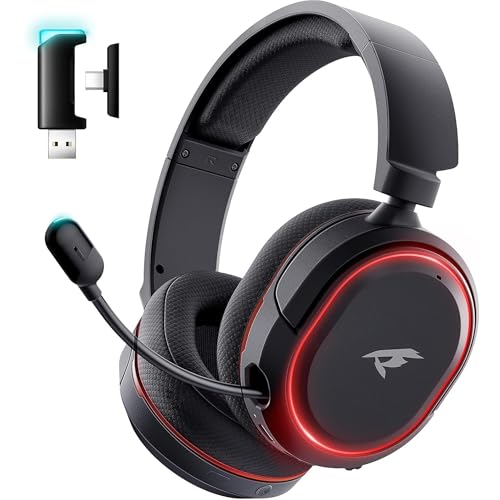
- Supports 2.4GHz wireless, Bluetooth 5.4, and 3.5mm wired connections.
- Includes a retractable microphone with one-touch mute and 7.1 surround sound mode.
- The stated playtime ranges from 45 to 100 hours depending on mode and settings.
Best For: A multiplayer gamer who wants a headset with a microphone.
7. Redragon M810 PRO Wireless Gaming Mouse
Cut the Mouse Cable
Redragon M810 PRO Wireless Gaming Mouse

- Connects wirelessly through a 2.4GHz receiver and has eight programmable buttons.
- Offers five onboard DPI levels, adjustable through software.
- Rechargeable battery is specified for up to 45 hours in eco mode.
Best For: A right-handed PC gamer who wants a wireless mouse with remappable buttons.
8. TGDGAMER Adjustable GPU Support Bracket
Support a Desktop Graphics Card
TGDGAMER Adjustable GPU Support Bracket
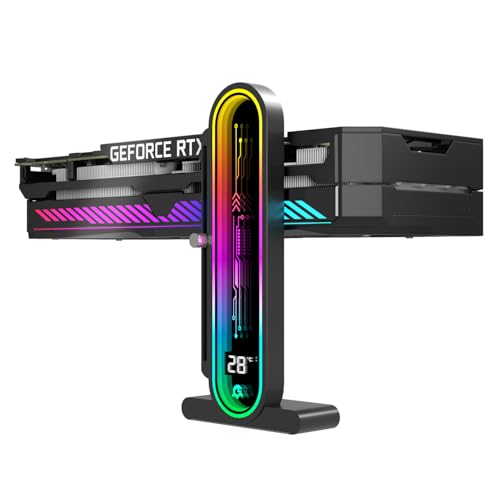
- Adjustable support height ranges from 35 to 157mm.
- Magnetic base and silicone contact surface help hold the bracket in place.
- Includes an ambient case temperature display and ARGB lighting.
Best For: A desktop owner whose graphics card and case suit an adjustable support bracket.
9. LeZone 12-Outlet Surge Protector
Add Reachable Desk Power
LeZone 12-Outlet Surge Protector

- Has 12 AC outlets, two USB ports, and two USB-C ports.
- A 10-foot extension cord and flat plug help with placement near a desk.
- Rated for 4800 joules of surge protection.
Best For: A gamer who needs more power connections for a multi-device setup.
10. EMEET C950 1080p Webcam
Put a Camera on the Setup
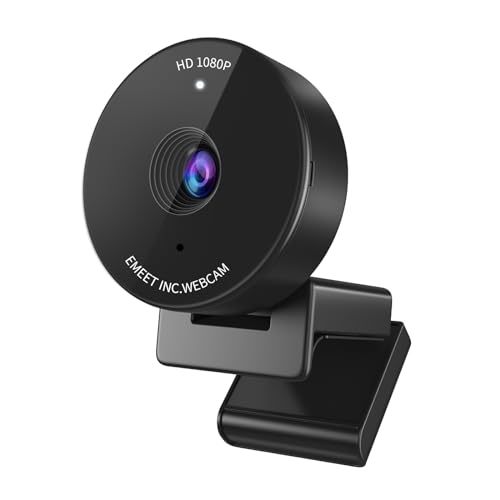
- Provides 1080p video at 30 frames per second and has a 70-degree field of view.
- Built-in omnidirectional microphone supports calls and live video.
- A physical privacy cover slides over the camera when it is not in use.
Best For: A gamer who joins video calls or streams from a computer.
11. Large Extended Gaming Mouse Pad
Give Mouse and Keyboard a Shared Surface
Large Extended Gaming Mouse Pad
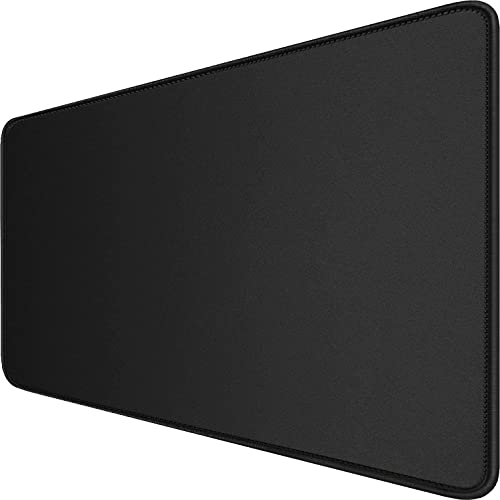
- Measures 31.5 by 15.7 inches to fit a mouse and keyboard together.
- Non-slip natural rubber base and stitched edges help keep the pad in place.
- Waterproof coating and smooth tracking surface are designed for desk use.
Best For: A gamer who wants a broad, consistent surface for mouse movement.
12. AOC 27-Inch QHD Gaming Monitor
Upgrade the Main Display
AOC 27-Inch QHD Gaming Monitor

- 27-inch QHD IPS display with 2560 x 1440 resolution.
- Supports up to 240Hz via DisplayPort and lists a 0.3ms MPRT response time.
- Includes one DisplayPort 1.4, two HDMI 2.0 ports, and tilt adjustment.
Best For: A gamer whose PC and games can make use of a high-refresh QHD display.
13. ASRock Radeon RX 9060 XT 16GB Graphics Card
Give a Desktop a Graphics Upgrade
ASRock Radeon RX 9060 XT 16GB Graphics Card

- Radeon RX 9060 XT card with 16GB GDDR6 memory and two fans.
- Measures 249 x 132 x 41mm and occupies two slots.
- Requires one 8-pin power connector; product notes recommend a 550W power supply.
Best For: A PC gamer upgrading a desktop after checking fit and power requirements.
14. SanDisk Extreme Portable 2TB SSD
Carry More Game and Media Files
SanDisk Extreme Portable 2TB SSD

- Portable 2TB solid-state drive with USB connectivity.
- Lists read speeds up to 1050MB/s and write speeds up to 1000MB/s.
- Includes password protection with 256-bit AES hardware encryption.
Best For: A gamer who wants portable storage for files, captures, or backups.
15. GTPLAYER Big and Tall Gaming Chair
Make Long Sessions More Comfortable
GTPLAYER Big and Tall Gaming Chair
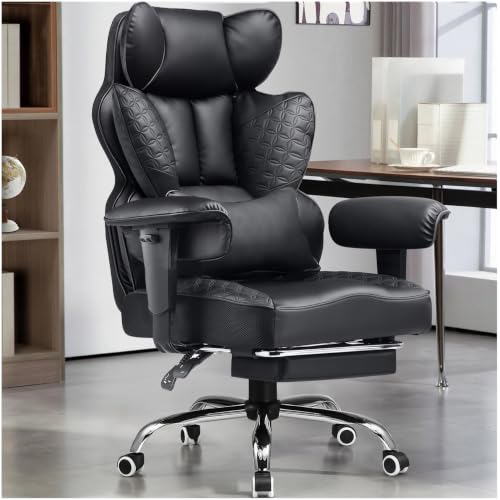
- Designed as a big and tall chair with a stated 400-pound weight capacity.
- Features spring lumbar support, a wide seat cushion, and an adjustable backrest.
- Backrest reclines from 90 to 135 degrees and the chair includes a footrest.
Best For: A gamer looking for a wider chair with reclining and lumbar support.
16. iFixit Pro Tech Toolkit
Equip a PC Builder's Workbench

- Includes a 64-piece precision bit driver set, tweezers, opening tools, and flex extension.
- Designed for computer, smartphone, tablet, and gaming repair.
- Magnetic case includes a foam insert and an interior sorting tray.
Best For: A gamer who builds, upgrades, or repairs their own electronics.
Choosing a Christmas Gift for a PC Gamer
Start with the part of the setup the recipient uses most or complains about most. If they mention crowded cables or a lack of USB ports, a powered hub may be more useful than another gaming accessory. If they play multiplayer games, a headset or webcam can support communication. A mouse pad, monitor arm, or speakers can refresh a desk without requiring a change to the computer itself.
Larger gifts deserve a closer look at the whole setup. A monitor upgrade affects both the desk and the graphics hardware driving it. A graphics card needs enough room inside the case and a power supply that meets its requirements. Furniture such as a desk or chair also needs a suitable space and dimensions. These practical checks help make Christmas gift ideas for PC gamers feel personal instead of simply impressive on paper.
Choose a Budget That Fits the Upgrade
For a modest desk refresh, consider a mouse pad, webcam, USB hub, or toolkit. These items can solve a specific everyday problem without replacing major equipment. A controller, mouse, headset, or speakers makes a more noticeable personal gift while staying focused on how the recipient plays.
A monitor, chair, or desk is a larger commitment because each changes the room or workstation. Ask yourself whether the recipient has talked about needing more display space, a better seating position, or somewhere to fit their equipment. A graphics card is a substantial upgrade, but its value depends on compatibility with the existing PC. Set a budget around the complete need, including any related setup changes, rather than judging a product by its headline feature alone.
Check Compatibility and Personalization
Before selecting a monitor arm, confirm the monitor’s size, weight, and VESA mounting pattern, as well as whether the desk supports clamp or grommet mounting. For a monitor, check the recipient’s available desk area and the PC’s video connections. Its high refresh rate is useful only when the computer and games can output enough frames to take advantage of it.
For a graphics card, compare its length, width, and thickness with the case clearance. Check for the required power connector and ensure the power supply meets the product’s recommendation. A desk or chair is personal in a different way: measure the intended area and consider the recipient’s preferred layout or fit. For accessories such as controllers, headsets, hubs, and storage, check the devices and operating systems they use. A little knowledge of the recipient’s current gear helps you choose a gift that can slot into their routine.
Make the Gift Feel Personal
Personalization can come from matching the gift to a habit, not from finding a holiday-themed product. Think about whether they play at a desk with speakers or headphones, use a controller for certain games, stream or join calls, or enjoy building and maintaining their PC. A desk accessory can suit someone who likes a tidy setup; a repair toolkit may be especially welcome to a hands-on builder.
You can also make a practical choice feel thoughtful by pairing it with a note explaining why you chose it: more space for their setup, easier voice chat, or room to keep files organized. Keep the explanation tied to something they have mentioned or a visible need, rather than assuming a feature they do not use will matter to them.
Timing and Last-Minute Decisions
For a larger gift, leave time to confirm dimensions and specifications before Christmas. Compatibility questions are easier to resolve before purchase than after a graphics card or monitor arrives. Furniture and desk upgrades also take planning because the recipient needs room to install and use them.
When time is short, choose an item whose fit is easy to confirm from the devices already on their desk. A mouse pad, USB hub, or repair toolkit may be simpler to match than a graphics card or chair. If you are unsure about a major upgrade, a smaller accessory connected to the same interest can still be useful and personal. The best Christmas gift ideas for PC gamers reflect how a particular person actually plays, chats, creates, or builds.