
Whether you are upgrading a Mac drive, preparing reliable backups, or cloning multiple disks, the right duplicator can save time and reduce setup hassles. This roundup compares 10 practical options, including offline docks, SATA and NVMe duplicators, portable drives, and multi-drive tower systems.
Some picks are designed for occasional home use, while others suit technicians and offices that need repeatable, high-volume duplication. Use the buying guide below to match capacity, interfaces, speed, and workflow to your Mac setup.
Best 10 Hard Drive Duplicators for Mac Picks for 2026
Best Value

- Supports 2.5-inch and 3.5-inch SATA drives
- Offline cloning without a computer
- USB 3.0 connectivity and up to 10TB drive support
Best For: Affordable SATA cloning and docking
Best for IT Workflows
StarTech Dual-Bay SATA Duplicator
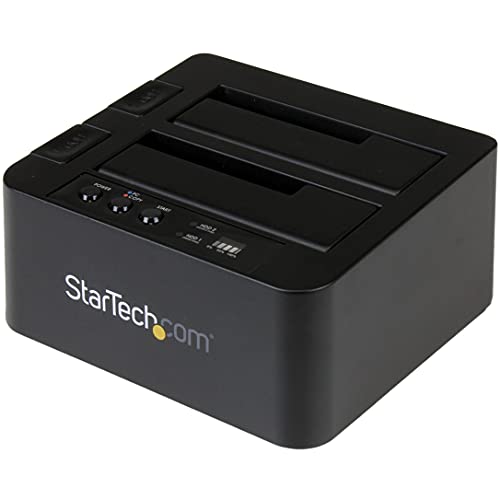
- Standalone sector-by-sector SATA cloning
- Supports 2.5/3.5-inch drives of any capacity
- Includes USB-C and USB-A cables
Best For: Professional SATA duplication and drive access
Best Portable Storage Companion
WD Elements 2TB External Drive

- 2TB portable external storage
- Plug-and-play USB 3.2 Gen 1 connection
- Compatible with PC and Mac
Best For: Portable backup storage to pair with a duplicator
Most Versatile
StarTech M.2 and SATA Duplicator

- Clones M.2 NVMe, M.2 SATA, and SATA drives
- Standalone operation with no PC or software
- Includes configurable erase and HPA modes
Best For: Mixed-format cloning and secure drive sanitization
Mac-Friendly Portable Storage
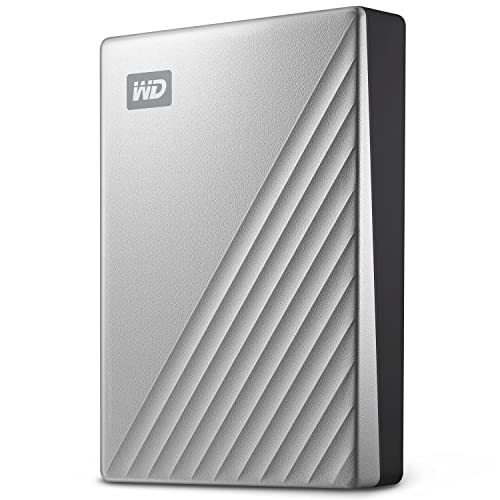
- 2TB portable storage formatted for Mac
- USB-C and USB 3.1 compatible
- 256-bit AES hardware encryption
Best For: Mac users needing portable, encrypted storage
Standalone SATA Workhorse

- No computer or software required
- Handles 2.5-inch and 3.5-inch SATA drives
- Copies and sanitizes drives at up to 90 MB/s
Best For: Standalone SATA duplication and erasure
High-Speed Professional Cloning

- 1-to-3 duplication at up to 600 MB/s
- Four copy and six erase modes
- Supports HPA/DCO duplication and removal
Best For: Professional SATA cloning and drive analysis
Best Mac-Friendly Docking Station

- Works with 2.5-inch and 3.5-inch SATA drives
- USB 3.0 and USB-C with UASP support
- Offline cloning without drivers
Best For: Intel-based Mac users needing a dual-bay SATA dock
Best 1-to-5 Standalone Duplicator

- Copies multiple SATA drives simultaneously
- No computer or software required
- Includes DoD 5220.22-M sanitization
Best For: Technicians handling repeated multi-drive duplication
Best High-Capacity Duplicator
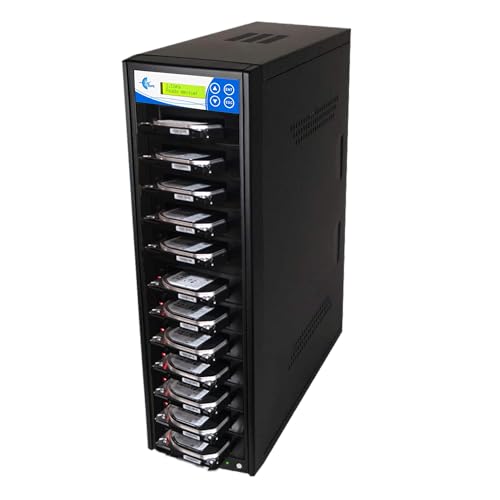
- Duplicates up to 11 SATA drives
- Up to 150MB/s per slot
- Four copy and seven erase modes
Best For: Professional high-volume SATA duplication
Best Value – SABRENT Dual-Bay SATA Cloner
For shoppers comparing hard drive duplicators for Mac, the SABRENT EC-HD2B is a straightforward dual-bay option for standard 2.5-inch and 3.5-inch SATA hard drives or SSDs. It supports offline cloning without a computer and also works as a USB 3.0 docking station.
Best For: Mac users who need an affordable, plug-and-play SATA dock with offline cloning.
Pros:
- Supports 2.5-inch and 3.5-inch SATA HDDs and SSDs.
- Offline cloning requires no drivers or computer.
- Supports drives up to 10TB and USB 3.0 transfer speeds up to 5Gbps.
Cons:
- Limited to SATA drives; it does not list support for M.2 NVMe drives.
- Offline cloning is rated up to 60Mbps, slower than its USB transfer specification.
The EC-HD2B is a practical choice for routine SATA drive access, upgrades, and duplication. Its dual-bay design and broad 2.5/3.5-inch compatibility make it convenient, though users with newer M.2 storage should choose a more specialized duplicator.
Best for IT Workflows – StarTech Dual-Bay SATA Duplicator
The StarTech SDOCK2U313R is a robust option among hard drive duplicators for Mac, offering standalone, sector-by-sector cloning of 2.5-inch and 3.5-inch SATA drives. It can also serve as a USB-to-SATA dock when you need to access a drive from a computer.
Best For: IT professionals and advanced users who need standalone SATA duplication, drive access, and 4Kn support.
Pros:
- Clones SATA drives without a computer and supports sector-by-sector duplication.
- Works with 2.5-inch and 3.5-inch SATA HDDs or SSDs of any capacity.
- Includes USB-C and USB-A cables, TRIM support, and 4Kn compatibility.
Cons:
- The target drive must be equal to or larger than the source drive.
- IDE drives require a separately sold adapter.
With tool-less bays, eject buttons, status LEDs, and a claimed cloning rate of up to 28GB per minute, this StarTech dock is well suited to repeatable drive-copying tasks. It is a stronger fit for technical workflows than casual one-time use.
Best Portable Storage Companion – WD Elements 2TB External Drive
The WD Elements 2TB is not a standalone duplicator, but it can complement hard drive duplicators for Mac as a portable destination for backups, copied files, or drive images. Its USB connection and plug-and-play design make it easy to add storage to a Mac or PC.
Best For: Mac users who need a portable 2TB external drive to pair with a duplicator or use for personal storage.
Pros:
- Provides 2TB of portable external storage.
- Plug-and-play design supports simple setup.
- Uses SuperSpeed USB 3.2 Gen 1 connectivity and includes a USB 3.0 cable.
Cons:
- It is a single external hard drive, not a dual-bay duplicator.
- It uses a mechanical 5400 RPM hard disk rather than an SSD.
- The supplied notes identify compatibility with PC and Mac but do not describe standalone cloning.
Choose the WD Elements when your priority is portable storage rather than direct drive duplication. It can be a useful target or backup drive alongside a separate duplicator, but it cannot clone drives by itself.
Most Versatile – StarTech M.2 and SATA Duplicator
For advanced shoppers seeking hard drive duplicators for Mac, the StarTech SM2DUPE11 stands out with support for M.2 NVMe, M.2 SATA, and 2.5-inch or 3.5-inch SATA drives. It works without a PC or software and adds configurable duplication and secure-erasure modes.
Best For: Technicians and power users who need cross-format cloning, drive sanitization, and on-screen controls.
Pros:
- Duplicates between M.2 NVMe, M.2 SATA, and 2.5/3.5-inch SATA drives.
- Supports multiple duplication modes, including system/file, partitions, and whole-drive copying.
- Offers five erase modes, HPA controls, and secure erase aligned with NIST SP 800-88 Rev. 1.
Cons:
- Its broader feature set may be more than needed for simple SATA cloning.
- IDE and mSATA support requires separately sold adapters.
- The supplied transfer specification is 540 megabits per second, below the fastest USB dock rates listed for other models.
The SM2DUPE11 is the most flexible choice in this group for mixed storage environments. Its tool-less design, OSD, and sanitization features make it especially useful for repair benches, upgrades, and controlled drive disposal.
Mac-Friendly Portable Storage – My Passport Ultra for Mac
The WD My Passport Ultra for Mac is portable storage rather than a standalone duplicator, but it can complement a Mac backup workflow. It arrives formatted for Mac, supports USB-C and USB 3.1, and includes password protection with 256-bit AES hardware encryption.
Best For: Mac users needing portable, encrypted storage for personal or business files.
Pros:
- Formatted for Mac for straightforward setup.
- USB-C and USB 3.1 compatibility supports current and older connections.
- 256-bit AES hardware encryption and password protection add security.
- Compact 2TB portable design with a refined metal cover.
Cons:
- It is a portable hard drive, not a standalone 1:1 drive duplicator.
- Its stated transfer speed is up to 130 MB/s, below the dedicated duplicators in this roundup.
Choose this model when Mac compatibility, portability, and protected everyday storage matter more than direct drive-to-drive duplication. It is a practical companion for backups, but not the right tool for cloning disks without a computer.
Standalone SATA Workhorse – Systor 1:1 HDD/SSD Duplicator
The Systor SYS101HS-DP is a standalone option for hard drive duplicators for Mac users who work with compatible SATA drives. It requires no computer or software, accepts 2.5-inch and 3.5-inch HDDs or SSDs without an adapter, and can copy or sanitize drives at up to 90 MB/s.
Best For: Users who need straightforward standalone duplication and erasure of 2.5-inch or 3.5-inch SATA drives.
Pros:
- Operates without a computer or software.
- Supports both 2.5-inch and 3.5-inch SATA HDDs and SSDs without an adapter.
- Copies systems and files or entire hard drives.
- Includes DoD 5220.22-M-compliant drive sanitization.
Cons:
- Its 90 MB/s transfer rate is slower than the Acumen model in this roundup.
- Compatibility is centered on SATA drives rather than a broad range of interfaces.
This Systor is a sensible middle ground for Mac-related drive work when the source and target drives are SATA. Its standalone design simplifies field use, while hot-swappable support and sanitization expand its usefulness beyond basic cloning.
High-Speed Professional Cloning – Acumen HD Pal Pro
The Acumen Disc HD Pal Pro is the high-throughput choice among these hard drive duplicators for Mac workflows involving compatible SATA HDDs and SSDs. Its 1-to-3 design reaches up to 600 MB/s, offers four copy modes and six erase modes, and supports HPA/DCO duplication and removal.
Best For: Businesses and labs that need fast multi-drive SATA duplication, analysis, and secure erasure.
Pros:
- Duplicates 2.5-inch or 3.5-inch HDDs and SSDs at up to 600 MB/s.
- 1-to-3 copying supports multiple target drives.
- Four copy modes and six erase modes provide workflow flexibility.
- Supports HPA/DCO duplication and removal, plus source-drive write protection through USB access.
Cons:
- It is a substantial 11-pound professional unit rather than a portable duplicator.
- Its listed hardware platform is PC, so Mac users should confirm workflow compatibility before buying.
- It supports SATA connectivity, not every drive interface.
For organizations handling repeated cloning or forensic-style drive analysis, the HD Pal Pro offers substantially more speed and control than a basic duplicator. Its size and PC-platform listing make it better suited to a dedicated workstation than casual home Mac use.
Best Mac-Friendly Docking Station – WAVLINK Dual-Bay SATA Dock
If you need hard drive duplicators for Mac and prefer a compact dock, the WAVLINK dual-bay station supports 2.5-inch and 3.5-inch SATA HDDs and SSDs. It offers USB connectivity for computer-based file transfers plus an offline clone mode, though compatibility is limited on M1- and M2-based Macs.
Best For: Mac users with Intel-based systems who want a dual-bay dock for SATA drives and occasional offline cloning.
Pros:
- Supports 2.5-inch and 3.5-inch SATA HDDs and SSDs.
- Provides USB 3.0 and USB-C connectivity with UASP support.
- Offers offline source-to-target cloning without requiring drivers.
- Includes hot-swapping, a power switch, and automatic sleep mode.
Cons:
- Not compatible with M1- or M2-based Macs.
- Offline cloning requires the target drive to have equal or greater capacity than the source.
- Cloning is offline only; online cloning is not supported.
This is a versatile choice when you want both a Mac-connected SATA dock and a basic standalone clone function. Check your Mac’s processor compatibility before buying.
Best 1-to-5 Standalone Duplicator – Systor 1:5 HDD/SSD Duplicator
The Systor SYS105HS-DP is a standalone option for duplicating several SATA drives at once. It does not require a computer or software, so it is better suited to dedicated duplication work than everyday Mac-connected storage management.
Best For: Businesses and technicians who need to copy or sanitize up to five SATA HDDs or SSDs without a host computer.
Pros:
- Operates independently without a computer or software.
- Copies multiple drives simultaneously at speeds up to 90MB per second.
- Accepts both 2.5-inch and 3.5-inch drives without an adapter.
- Supports whole-drive or data-only copying and DoD 5220.22-M sanitization.
Cons:
- It is a standalone SATA duplicator rather than a Mac-connected device.
- The supplied specifications identify the hardware platform as PC.
- Its 1-to-5 capacity may be more than needed for occasional personal use.
For Mac workflows, this unit makes the most sense when duplication is performed independently of macOS. Its simultaneous-copy and sanitization functions are its main advantages for repeat professional jobs.
Best High-Capacity Duplicator – EZ DUPE 1-to-11 SATA Tower
The EZ DUPE 1-to-11 tower is built for high-volume duplication, copying up to 11 SATA HDDs or SSDs at up to 150MB per second per slot. Because it is fully standalone and cannot connect to other devices, it is best viewed as a dedicated duplication station rather than a Mac accessory.
Best For: Professional users who need to duplicate many 2.5-inch or 3.5-inch SATA drives and want flexible copy and erase modes.
Pros:
- Duplicates up to 11 SATA HDDs or SSDs simultaneously.
- Offers listed speeds up to 150MB per second, or 9GB per minute.
- Includes quick, full, partitioned-area, and percentage copy modes.
- Provides seven erase modes, including DoD 3-pass and DoD 7-pass options.
Cons:
- It does not connect to a Mac, computer, or other host device.
- Designed for SATA drives only.
- The 11-target capacity may be excessive for small-scale duplication.
This is the strongest choice here for volume work and configurable drive handling. Mac owners can use it as an independent station, but it will not function as a Mac-connected dock.
How We Picked These Hard Drive Duplicators for Mac
We selected products across the main use cases Mac owners encounter: single-drive upgrades, routine backups, offline cloning, mixed SATA and NVMe workflows, and multi-drive duplication. We considered interface compatibility, source and target drive support, offline operation, advertised transfer speed, portability, and whether a product is better suited to occasional personal use or repeated professional work.
Compatibility still matters. A duplicator may copy drives without macOS, but the destination must have the right capacity and partition or file-system support for your intended workflow. Always verify the manufacturer’s specifications before cloning a boot drive or using drives with unusual formats.
Quick Comparison
| Best For | Recommended Type | What to Look For |
|---|---|---|
| Occasional Mac upgrades | Dual-bay docking station | Offline cloning, SATA support, USB 3.0 or USB-C connectivity |
| Portable backups | External hard drive | Mac compatibility, dependable software, password protection, compact design |
| Mixed modern storage | Dual-interface duplicator | Support for M.2 NVMe, M.2 SATA, and 2.5/3.5-inch SATA drives |
| Technicians and repair shops | Multi-bay or tower duplicator | Multiple targets, verification, erasing, and sustained throughput |
Key Buying Factors for Hard Drive Duplicators for Mac
Drive Format and Interface
Confirm whether you need 2.5-inch SATA SSDs, 3.5-inch desktop hard drives, M.2 SATA modules, NVMe drives, or a combination. A basic dual-bay SATA dock is affordable and straightforward, but it cannot replace an NVMe-capable duplicator when your Mac storage uses that format.
Offline Cloning Versus Computer-Managed Copying
Offline duplicators copy directly from one installed drive to another and can be useful when you do not want to install cloning software. However, many external drives are better suited to computer-managed backups, where macOS software handles scheduling, encryption, file selection, and recovery.
Speed, Capacity, and Verification
Advertised speeds are maximum figures and vary with the source drive, target drive, connection, and data type. Choose a target at least as large as the source for sector-level cloning, and look for verification or analysis features if you need confidence that a batch completed correctly.
Mac Connectivity and Protection
USB-C support can simplify connection to newer Macs, while USB-A compatibility may require an adapter or hub. For portable backup drives, password protection and ransomware-defense features add value, but they should complement—not replace—an additional backup.
Who Should Buy Which Hard Drive Duplicators for Mac?
Choose a compact dual-bay dock such as the SABRENT or WAVLINK when you want an affordable way to clone or access standard SATA drives at home. The StarTech SATA duplicator is a stronger choice when you need a more purpose-built unit with a published high-speed workflow.
For Mac users carrying backups between locations, the WD My Passport Ultra for Mac or WD Elements portable drive is more practical than a bare-drive duplicator. Select an M.2-capable StarTech model if your storage includes NVMe or M.2 SATA drives. Systor and EZ DUPE units make more sense for technicians, labs, and organizations duplicating several drives at once, while the Acumen system is aimed at demanding analysis and multi-target workflows.